
The Output Assistant in COPASI provides the simplest way to create your own output definitions, which you can later customize using the instructions in the Manual Definition section. Most task dialogs in COPASI include an “Output Assistant” button at the lower right corner. Clicking this button opens a dialog with a list of predefined output definitions on the left. When you select one, a brief description of the output appears on the right side of the dialog. Above this description is the title of the selected output definition. You can change this title to easily distinguish between multiple output definitions of the same type. Using this dialog, you can create both plots and reports.
To create an instance of the selected output object, simply click the “Create!” button at the bottom of the dialog. After clicking, a new report or plot (depending on your choice) appears in the appropriate branch under the Output Specification section of the model tree. This branch is the second-to-last branch on the left side of the tree. The name of the output definition matches the title you entered. If a definition with the same name already exists, COPASI will append a postfix to make the name unique. You can edit or delete the new output as needed.
If the output you created is a report, it will automatically be set as the active report for the current task. You will still need to select a filename for the output using the Report button; this is explained in sections about the specific calculation tasks. The following sections will describe how to create, edit, and delete output definitions manually. When an active report of a task is deleted, it will also be removed from the task.
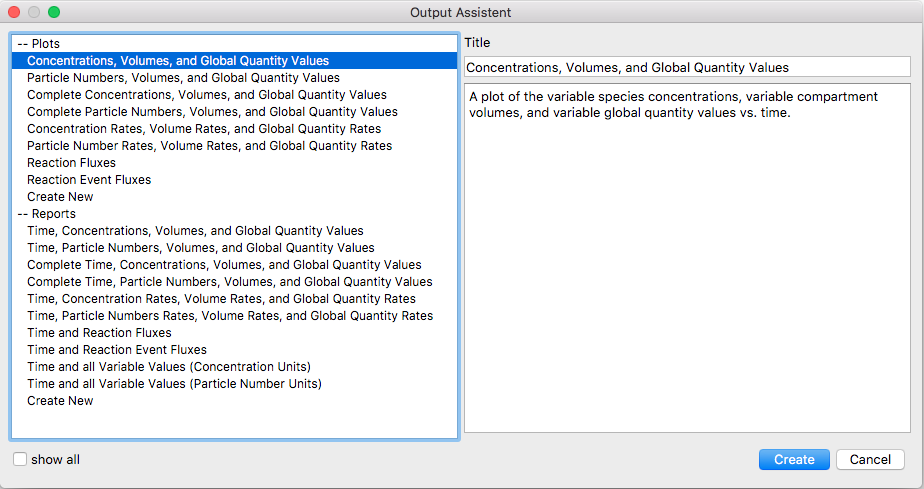 |
| Output Assistant Window |